> For the complete documentation index, see [llms.txt](https://docs.origami.tech/llms.txt). Markdown versions of documentation pages are available by appending `.md` to page URLs; this page is available as [Markdown](https://docs.origami.tech/referral-program/overview.md).
# Overview
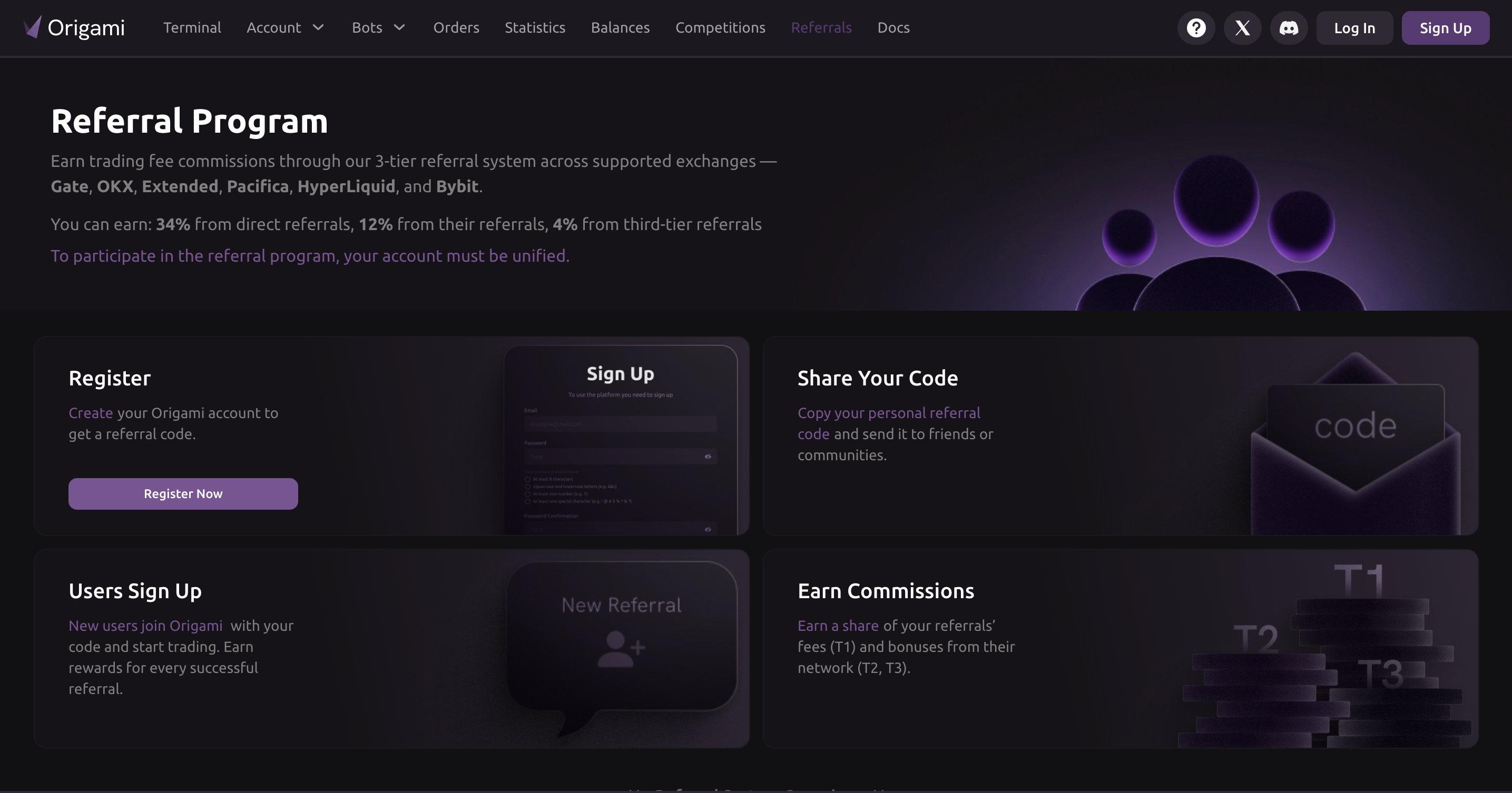
[The Origami Tech Referral Program ](https://app.origami.tech/referrals)allows users to earn commissions by inviting new traders to the platform.
It is designed for traders, educators, and community builders who actively share trading tools and workflows. By using a personal referral link, participants receive a portion of the trading fees generated by users in their referral network.
The program is available to all Origami Tech users and does not require a minimum trading volume or prior experience.
### **How the Referral Program Works**
{% stepper %}
{% step %}
#### Step 1. Create Your Referral Link
All referral actions take place inside the Origami Tech web application.
* Visit [**app.origami.tech/referrals**](https://app.origami.tech/referrals)
* Log in or create an account
* Open the **Referrals** section in your dashboard
Your referral link is generated automatically and is permanently associated with your account.
{% endstep %}
{% step %}
#### Step 2. Invite New Users
You can share your referral link through any channel:
* Social networks and messengers
* Trading communities and forums
* Websites, blogs, newsletters, or educational content
Each registration completed through your link is tracked instantly in the system.
{% endstep %}
{% step %}
#### Earn From Trading Activity
Origami Tech uses a three-level referral structure that rewards both direct and indirect participation.
| Level | Description | Commission |
| ------ | ------------------------------- | ---------- |
| Tier 1 | Users invited directly by you | 60% |
| Tier 2 | Users invited by your referrals | 12% |
| Tier 3 | Third-level referrals | 4% |
When any user in your network trades through Origami Tech, commissions are calculated automatically and credited to your balance.
Referral attribution is permanent. Once a user registers via your link, they remain connected to your account.
{% endstep %}
{% endstepper %}
### Referral Analytics and Tracking
The referral dashboard provides full visibility into your performance:
* Number of referrals by level
* Trading volume generated by your network
* Total earned commissions
* Available, pending, and paid rewards
Data can be filtered by time period, including weekly, monthly, and yearly views.
To simplify monitoring, Origami Tech sends automated weekly email summaries with key referral metrics and direct access to the dashboard.
### Withdraw Your Earnings
All referral rewards are accumulated in USDT.
* Minimum withdrawal amount is 10 USDT
* Payout requests are submitted directly from the dashboard
#### Payout Process
* Withdrawals are processed automatically
* Email confirmation includes payout amount, wallet address, and transaction hash
* All transactions can be verified on Arbitrum Scan
Once completed, payouts are marked as paid and stored in the Payouts history for reference.
### Why the Origami Tech Referral Program
Origami Tech integrates referrals directly into the trading platform instead of treating them as a separate system.
* Referral data is part of the main dashboard
* Sign-ups, trades, and rewards are tracked automatically
* No manual reports or external tools are required
This approach makes referral earnings transparent, measurable, and easy to manage.
### Why the Origami Tech Referral Program
Origami Tech integrates referrals directly into the trading platform instead of treating them as a separate system.
* Referral data is part of the main dashboard
* Sign-ups, trades, and rewards are tracked automatically
* No manual reports or external tools are required
This approach makes referral earnings transparent, measurable, and easy to manage.
***