> For the complete documentation index, see [llms.txt](https://docs.origami.tech/llms.txt). Markdown versions of documentation pages are available by appending `.md` to page URLs; this page is available as [Markdown](https://docs.origami.tech/user-guide/set-up-first-bot.md).
# Set Up First Bot
Here you’ll find step-by-step guides for getting started with bots.
{% stepper %}
{% step %}
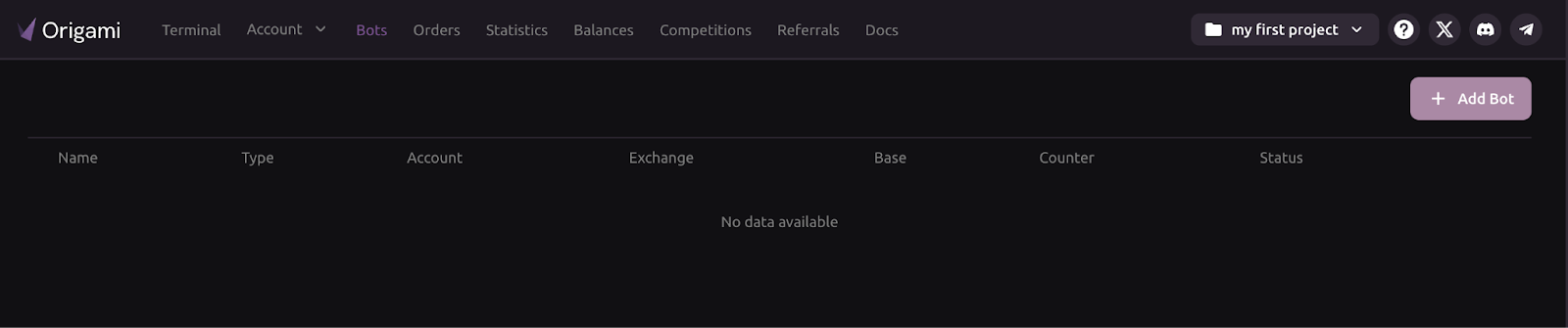
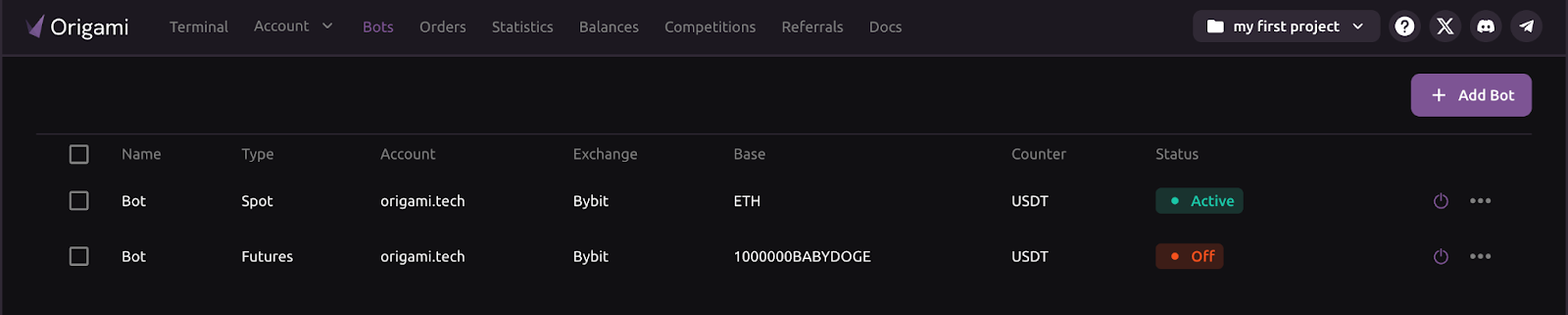
### **Open the Bots tab**
* In the top menu, select the Bots tab. This page shows any existing bots.
* Click the + Add Bot button in the top-right corner.
{% endstep %}
{% step %}
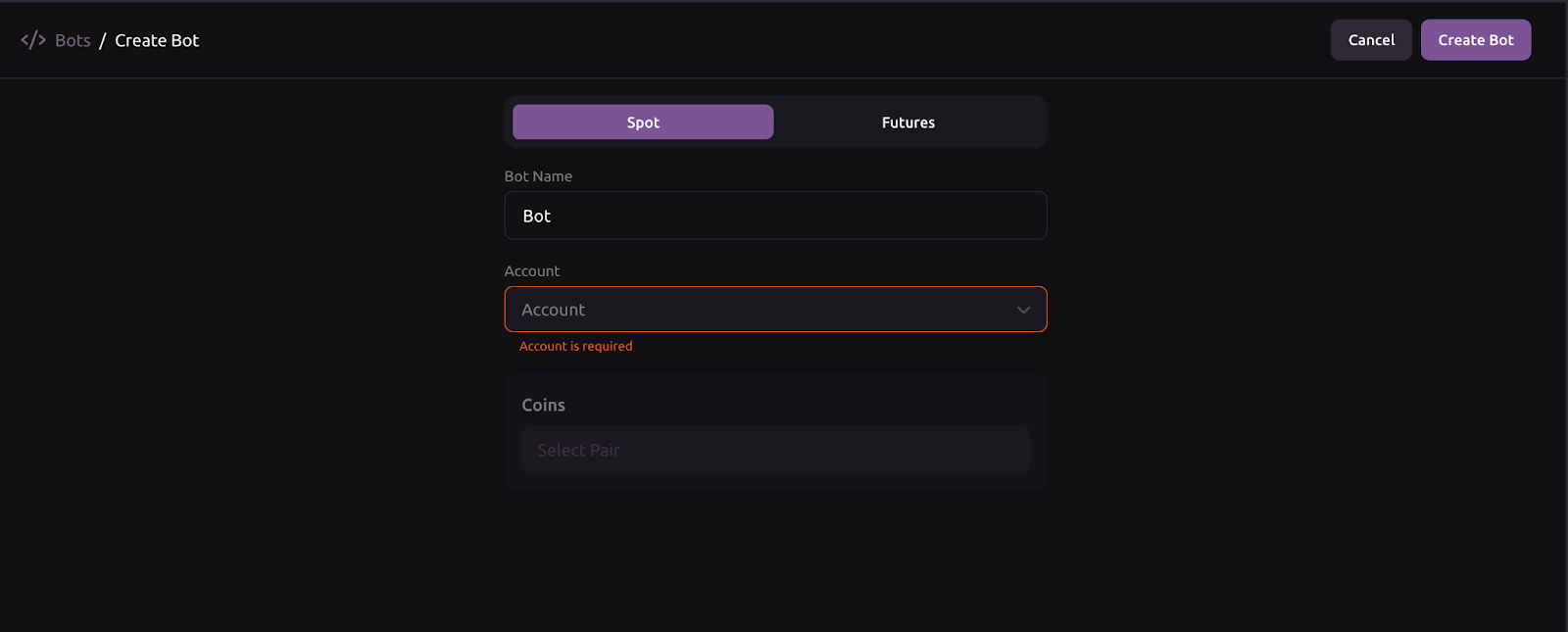
### **Provide bot information**
* Fill in the basic bot details:
*Bot name: Name your bot (e.g., Spot\_trading or Futures\_trading).*
*Account: Choose the exchange account the bot will operate on.*
*Coins: Select the trading pair.*
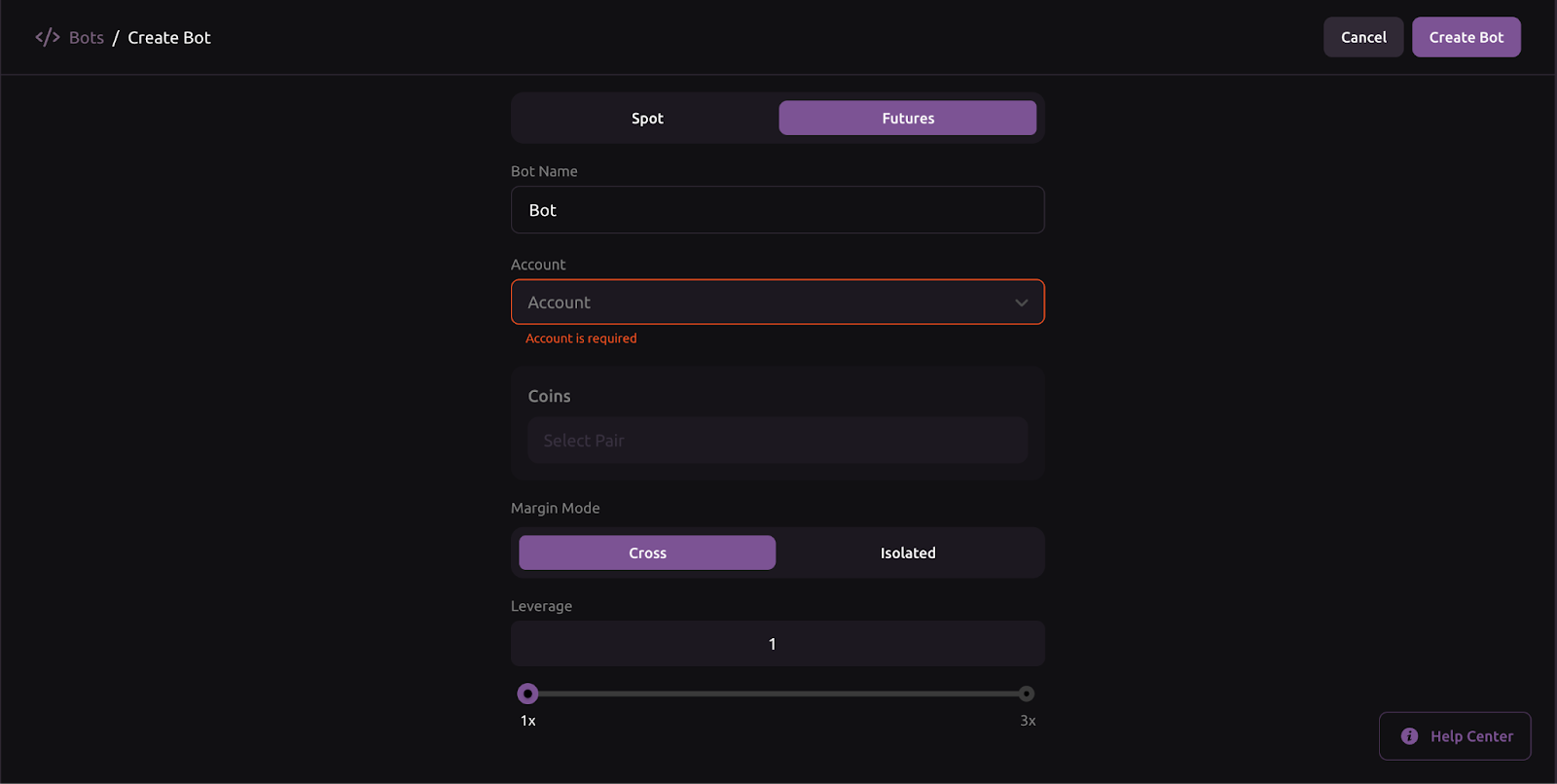
* For the futures bot, two extra fields are required:
*Margin mode: Choose Cross (shares margin across all positions in the account) or Isolated (margin is allocated to a single position only).*
*Leverage: Select the leverage level. Higher leverage increases potential profits and risk.*
* Click Create Bot to proceed.
{% endstep %}
{% step %}
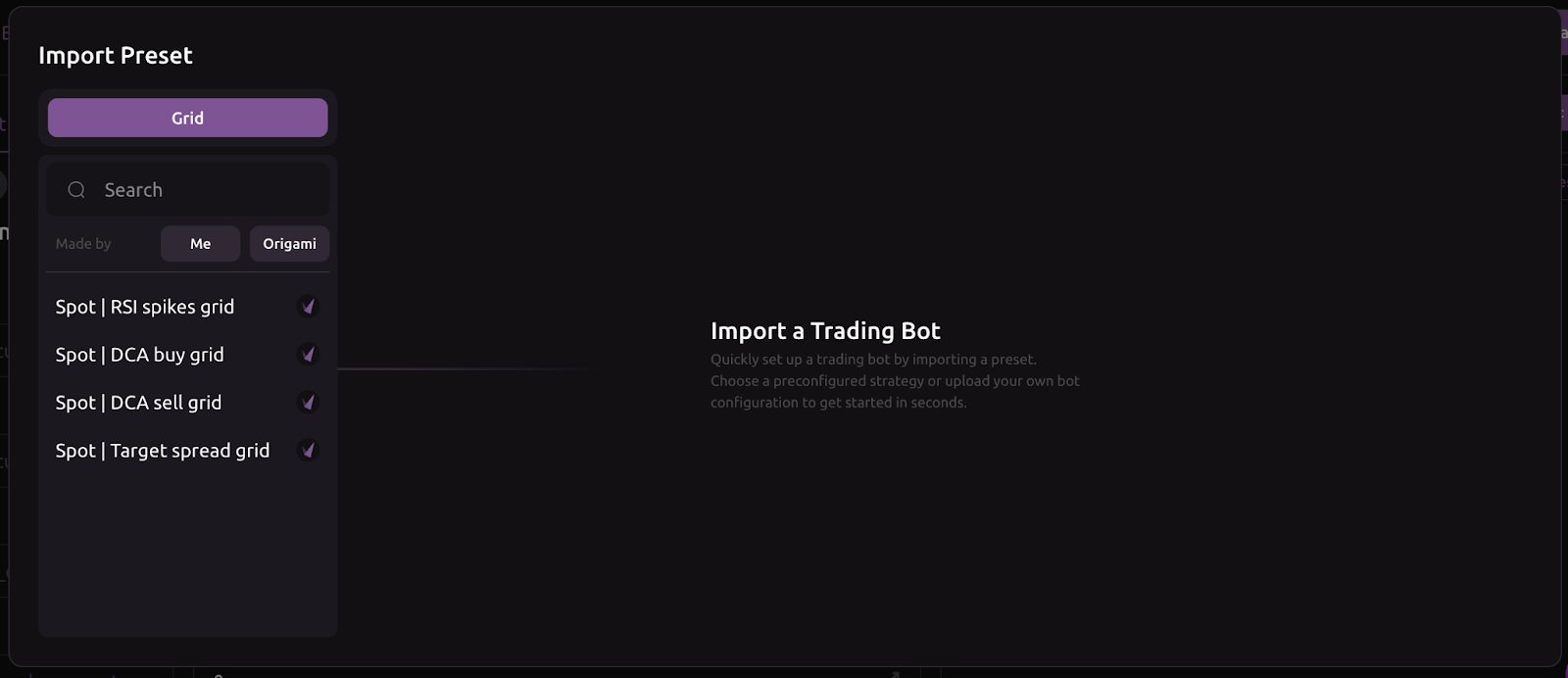
### **Select a preset**
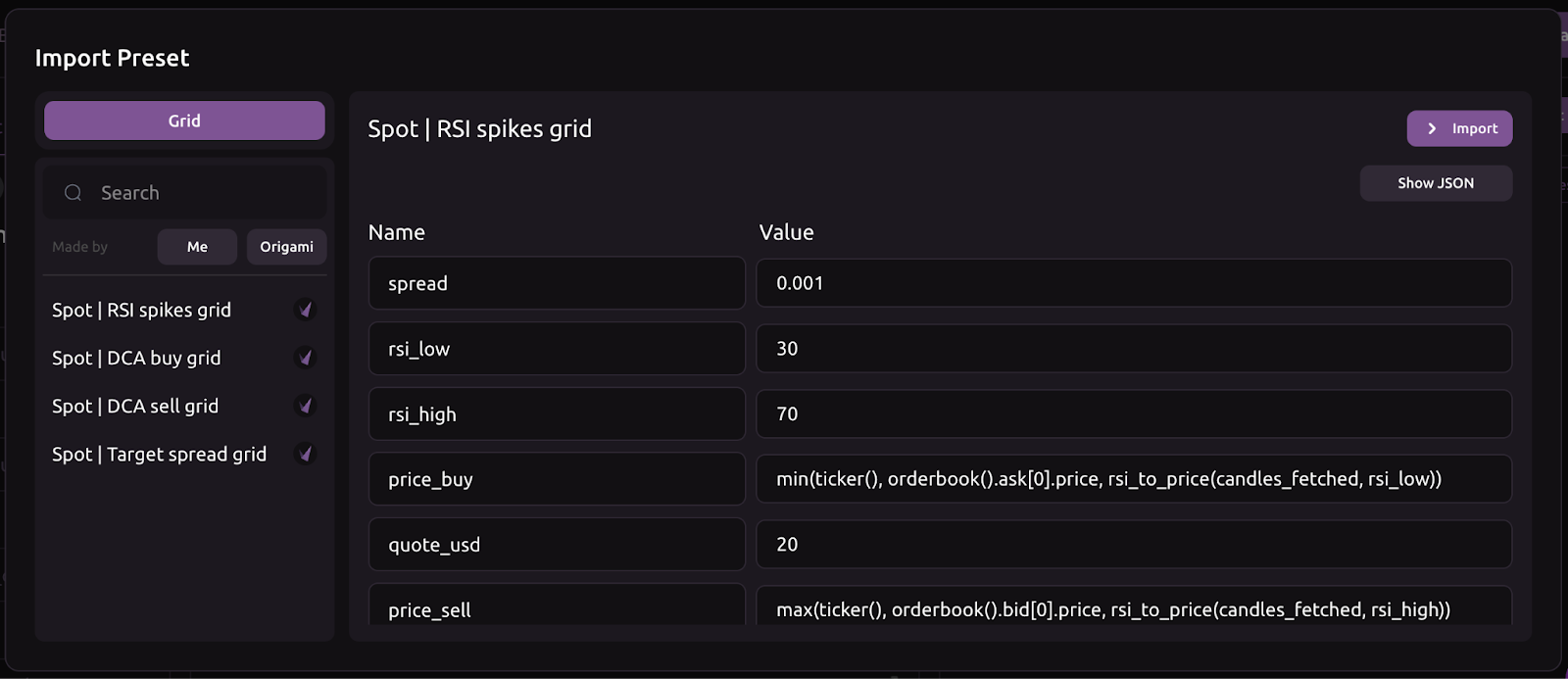
* Click Import Preset.
* Choose a preset from the pop-up window.
{% endstep %}
{% step %}
### **Review and import the preset**
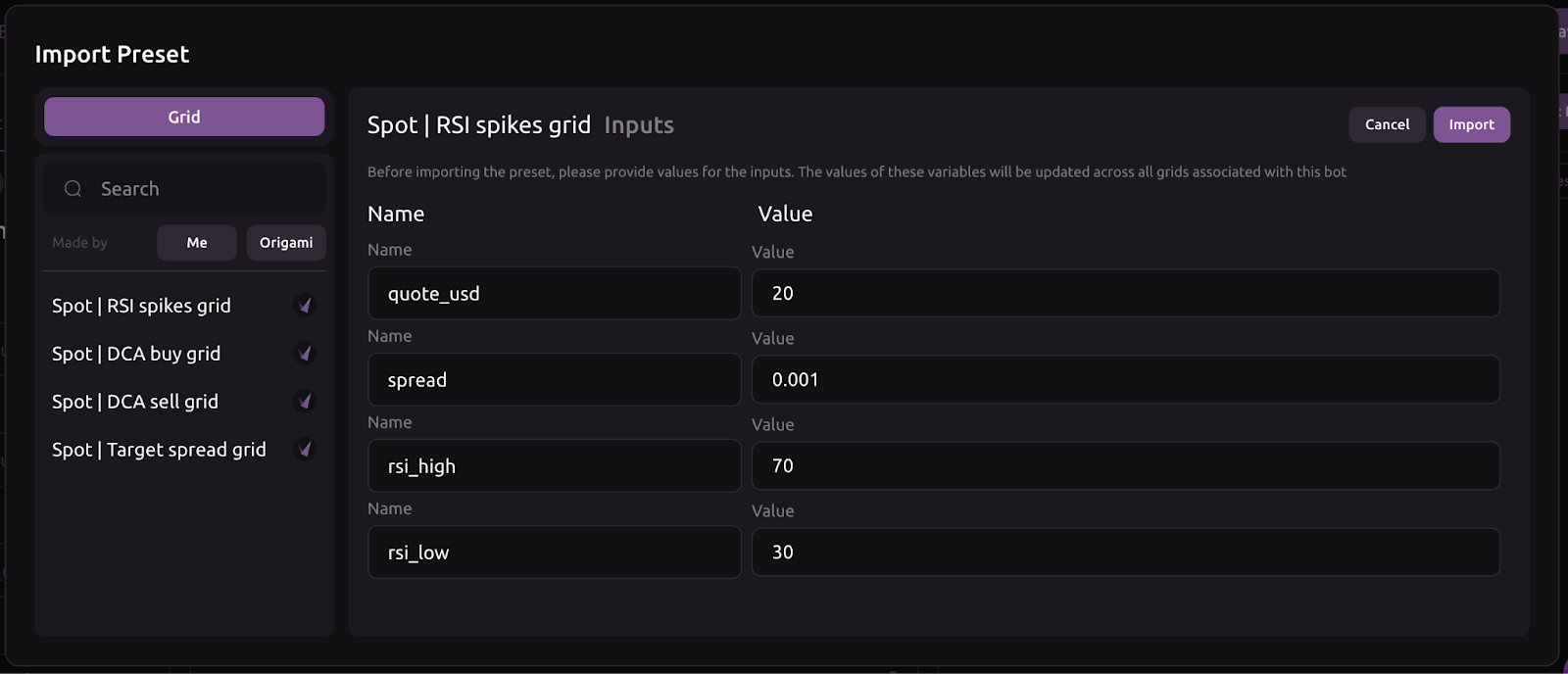
* Depending on the preset, you may see parameters to review. Some presets show no parameters. Both scenarios are expected.
* Click Import to load the configuration.
* The preset values fill the bot input form automatically. Modify them if needed, then click Import once again to finalize.
{% endstep %}
{% step %}
### **Activate your bot and start receiving data**
* Navigate to the Bots tab.
* Find your newly created bot.
* Click the power icon to switch the bot on.
{% endstep %}
{% endstepper %}
Your bot is now active and receiving live data.
**Great job!**
With your first project created, your account connected, and your bot running a simple grid strategy, you’re all set for the next steps. Now, let’s explore how to build more sophisticated bots and tailor advanced strategies.